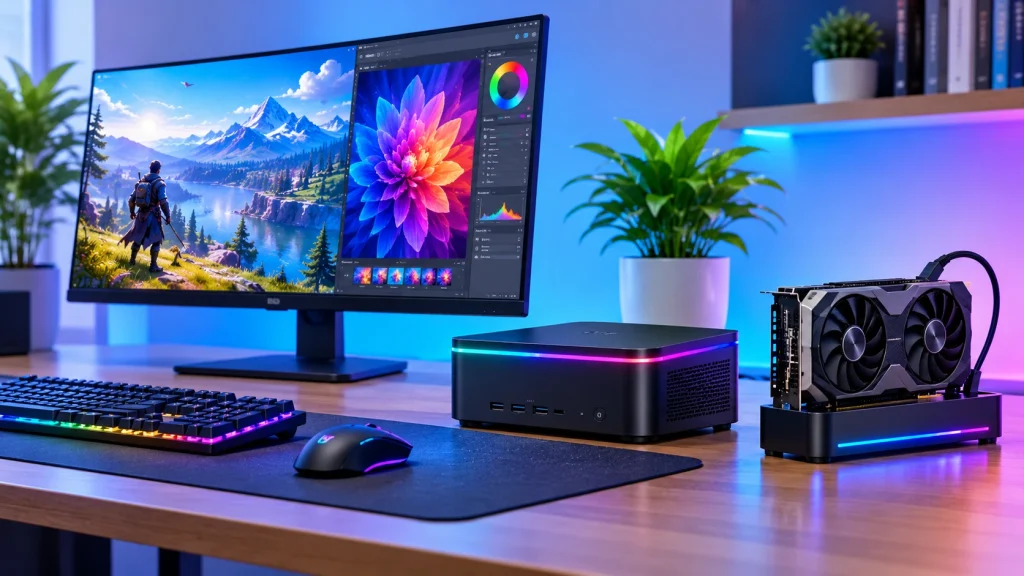
Quick verdict: if you want a true dedicated graphics card in a mini PC, the ASUS ROG NUC (2025) is the best-reviewed option, but it starts around $2,600. If you want the best value, buy a mini PC with fast integrated Radeon graphics and 32GB of RAM, such as the GEEKOM A9 Max or, on a tight budget, the BOSGAME P3.
Most “mini PCs with a GPU” do not have a graphics card at all. They use integrated graphics that share system memory, and the best of these now handle 1080p gaming and light creative work. Mini PCs with a real discrete GPU are rare and cost far more. A third route is a mini PC with an OCuLink port, which lets you plug in a desktop graphics card later.
This guide compares all three routes, with reported prices, specs and the trade-offs reviewers found. Prices change often, so check the live listing before you buy.
Best mini PCs with a GPU: quick picks
Prices below are the figures reviewers reported, with the source and date. They are not live prices.
| Pick | Best for | Graphics | RAM | Reported price |
|---|---|---|---|---|
| ASUS ROG NUC (2025) | Best with a dedicated GPU | RTX 5070 Ti or 5080 laptop GPU | 32GB DDR5 as reviewed | From $2,599 (TechRadar) |
| Minisforum AtomMan G7 Ti | Mid-price dedicated GPU | RTX 4070 laptop GPU | 32GB DDR5 | $1,439 at review (PC Gamer) |
| GMKtec EVO-X2 | Creators who want top integrated graphics | Radeon 8060S (integrated) | 64GB LPDDR5X | $1,499 as tested (Tom’s Hardware) |
| GEEKOM A9 Max | Best-value integrated graphics | Radeon 890M (integrated) | 32GB DDR5, up to 128GB | Check the current listing |
| BOSGAME P3 | Budget with 32GB RAM | Integrated Radeon | 32GB DDR5 | About $477 on a Slickdeals listing |
| GMKtec K12 | Budget with OCuLink | Radeon 780M (integrated) | 32GB DDR5 | From $649.89 at Walmart |
| OCuLink mini PC plus dock | Upgrade later with a desktop card | Your own graphics card | 32GB DDR5 | Dock, GPU and PSU cost extra |
What “a mini PC with a GPU” really means
The phrase covers three very different designs, and the listings rarely say which one you are buying.
- Dedicated GPU inside the case. A laptop-class graphics chip (an RTX 4070 or RTX 5070 Ti, for example) is built into the mini PC. This gives the best gaming and rendering speed, but these machines cost more, run louder and get hot.
- Strong integrated graphics. The graphics sit on the same chip as the processor and share system memory. AMD’s Radeon 780M and 890M handle esports and lighter games well. The newer Strix Halo chips (Radeon 8060S) are much faster and can rival some dedicated laptop GPUs in reviews.
- OCuLink for an external card. Some mini PCs have an OCuLink port. Add a dock and a desktop graphics card later, and the same box becomes a gaming machine. You supply the card and the power supply, and the dock is not hot-swappable.
If a product page just says “graphics card” and lists a Radeon or Intel integrated chip, it is the second type. That is fine for many buyers, but do not expect desktop-card performance.
One more point for 32GB buyers: on integrated-graphics machines the GPU borrows from the same RAM pool. More RAM therefore helps graphics too, not just multitasking.
The best mini PCs with a GPU, reviewed
1. ASUS ROG NUC (2025): best with a true dedicated GPU
This is the pick if you want desktop-style gaming from a small box. TechRadar rated it 4.5 out of 5, and it starts at $2,599 with an RTX 5070 Ti or 5080 laptop GPU. The trade-offs are real: the fans get loud under load, upgrade options are limited, and the price is high for a machine that cannot swap its graphics chip later.
2. Minisforum AtomMan G7 Ti: mid-price dedicated GPU
PC Gamer tested this one with an RTX 4070 laptop GPU at $1,439 for the 32GB, 1TB model. It reached about 84 to 86 fps in Cyberpunk 2077 with ray tracing at Ultra and 1440p. It is also noisy and throttles under sustained load, and PC Gamer scored it 71. It suits buyers who want a dedicated GPU for less than the ROG NUC and can live with fan noise.
3. GMKtec EVO-X2 (Strix Halo): best integrated graphics for creators
The EVO-X2 uses AMD’s Strix Halo chip (Ryzen AI Max+ 395) with Radeon 8060S graphics and 64GB of fast shared memory. Tom’s Hardware tested it at $1,499 and found the integrated graphics more than powerful enough for 1080p gaming, with fan noise that can be noticeable. Large shared memory also helps video editing and local AI work. Prices for this model vary widely between listings, so check the exact configuration before buying.
4. GEEKOM A9 Max: best-value integrated option
The A9 Max pairs a Radeon 890M with 32GB of RAM that can be upgraded to 128GB, and it carries a three-year warranty. It is the sensible middle choice for 1080p gaming at lower settings, photo work and everyday use. Its price was not consistent across the sources I opened, so check the current listing.
5. Minisforum UM880 Plus and GMKtec K11 or K8 Plus: OCuLink upgrade path
These machines include an OCuLink port. Pair one with a dock such as the Minisforum DEG1 and a desktop graphics card, and you get far more performance than any built-in chip. Budget separately for the card, the dock and a power supply.
Budget mini PCs and mini PCs with 32GB RAM
You do not need to spend $1,000 or more to get a capable machine. Prices for the same model differ a lot by seller, so treat these as examples.
| Model | Example price | RAM | Notes |
|---|---|---|---|
| BOSGAME P3 | About $477 (Slickdeals listing); about $519 in another report | 32GB DDR5 | Ryzen CPU with integrated Radeon graphics; eGPU support reported |
| GMKtec K12 | From $649.89 (Walmart) | 32GB DDR5 | Radeon 780M; has an OCuLink port |
| Minisforum UM870 Slim | From $303 (Walmart, 32GB/1TB listing) | 32GB | Entry-level price; confirm the configuration |
At this price you get integrated graphics, which are fine for 1080p esports titles, photo editing and light video work. They will not run the newest games at high settings.
Why 32GB matters: integrated graphics use system memory, so 16GB can feel tight once games, a browser and other apps are open. A 32GB model is a safer buy, especially if the RAM is upgradable later. Memory prices have also been unstable, so a mini PC that ships with 32GB already installed can be better value than adding RAM yourself.
Prices in these roundups move often. Treat the figures above as a guide and check the retailer page before you buy.
How to choose a mini PC with a GPU
- Decide what the GPU is for. Modern 3D games at high settings need a dedicated GPU or an eGPU. Esports, photo editing and light video work are fine on integrated graphics.
- Check the real graphics chip. Look for the exact name (RTX 4070, Radeon 890M, Radeon 8060S). A listing that only says “graphics card” is hiding something.
- Look for OCuLink if you want to upgrade. Without the port, you cannot add a desktop card later.
- Choose 32GB of RAM if you can. Integrated graphics share it, and it helps with multitasking and creative apps.
- Check cooling and noise. Small cases run hot. Reviewers of the AtomMan G7 Ti and ROG NUC both noted loud fans under load.
- Check storage and RAM upgrades. Some models solder the RAM or limit the SSD. Upgradable parts keep the machine useful for longer.
- Look at ports and warranty. Count the USB, HDMI and network ports you need, and note the warranty length (the GEEKOM A9 Max offers three years).
- Compare live prices. Costs vary a lot between sellers and change often, so compare at least two retailers before paying.
Mini PC vs gaming laptop vs desktop
| Mini PC with GPU | Gaming laptop | Desktop tower | |
|---|---|---|---|
| Size | Smallest; fits behind a monitor | Portable but bulky | Largest |
| Gaming power per dollar | Lower for dedicated-GPU models | Good | Best |
| Upgrades | Limited (OCuLink models are the exception) | Limited | Easy |
| Noise and heat | Often loud under load | Moderate | Easiest to keep quiet |
| Portability | Easy to move, needs a display and peripherals | Built-in screen and battery | Not portable |
A mini PC is the right choice when desk space matters and you already own a monitor, keyboard and mouse. If raw gaming value matters most and space is not a problem, a desktop still wins. If you need to travel, a laptop is simpler.
FAQ
Can a mini PC have a real graphics card? Yes, in two ways. Some models, like the ASUS ROG NUC, build in a laptop-class dedicated GPU. Others have an OCuLink port so you can connect a desktop card through a dock.
Is a mini PC with integrated graphics good enough for gaming? For esports titles and older games at 1080p, yes. Tom’s Hardware found the Radeon 8060S in the EVO-X2 powerful enough for 1080p gaming. Newer AAA games at high settings need a dedicated GPU.
Do I need a mini PC with 32GB of RAM? It is a safe target. Integrated graphics share system memory, so 32GB gives both the CPU and GPU more room. 16GB works for basic use.
What is the best budget mini PC? There is no single answer because prices change by seller. A 32GB model such as the BOSGAME P3 has been listed near $477, but check current prices before buying.
Can I upgrade the GPU later? Only if the mini PC has OCuLink or Thunderbolt/USB4 support for an external GPU, or if you accept a larger machine. Built-in laptop GPUs cannot be swapped.
Are mini PCs with a GPU loud? Often, yes. Reviewers noted loud fans on both the ROG NUC and the AtomMan G7 Ti under load.
Is a mini PC better than a gaming laptop? It saves desk space and costs less than a laptop with the same chip, but you must supply a monitor, keyboard and mouse. A laptop is better if you travel.
Sources
- Asus ROG NUC (2025) review, TechRadar
- Minisforum AtomMan G7 Ti review, PC Gamer
- GMKtec Evo X2 AI Mini PC review, Tom’s Hardware
- BOSGAME P3 deal listing, Slickdeals
- Best mini PCs listing, Walmart
Prices and specs change often. Checked 8 November 2026.
About the Author

Aman Ullah Hridoy
Founder & Content Creator
I’m Aman Ullah Hridoy, the founder of Technolozia. I write about technology, software, gadgets and practical how-to guides to help readers understand tech and make smarter digital choices.