The Short Answer
If your phone supports eSIM and you travel or switch plans often, an eSIM is usually the better choice. If you swap phones often, use an older phone, or want the simplest possible setup, a physical SIM is still easier. Many people use both at once.
- Choose eSIM if: you travel abroad, want a second number on one phone, like to switch carriers without waiting for a card, or own an iPhone sold in a market where the physical tray has been removed.
- Choose a physical SIM if: your phone has no eSIM support, you move your SIM between phones a lot, or you want to be able to restore service quickly without your carrier’s help.
- Use both if: you want a home line plus a cheap local data plan abroad, or separate work and personal numbers.
Cloudwards, which compared the two, concludes that eSIMs win on security, travel convenience, cost and sustainability, with the main caveats being device compatibility and the extra effort of changing phones. Treat any “eSIM is always better” claim with care, because many of the guides ranking in search results are written by eSIM sellers.
What Is a Physical SIM and What Is an eSIM?
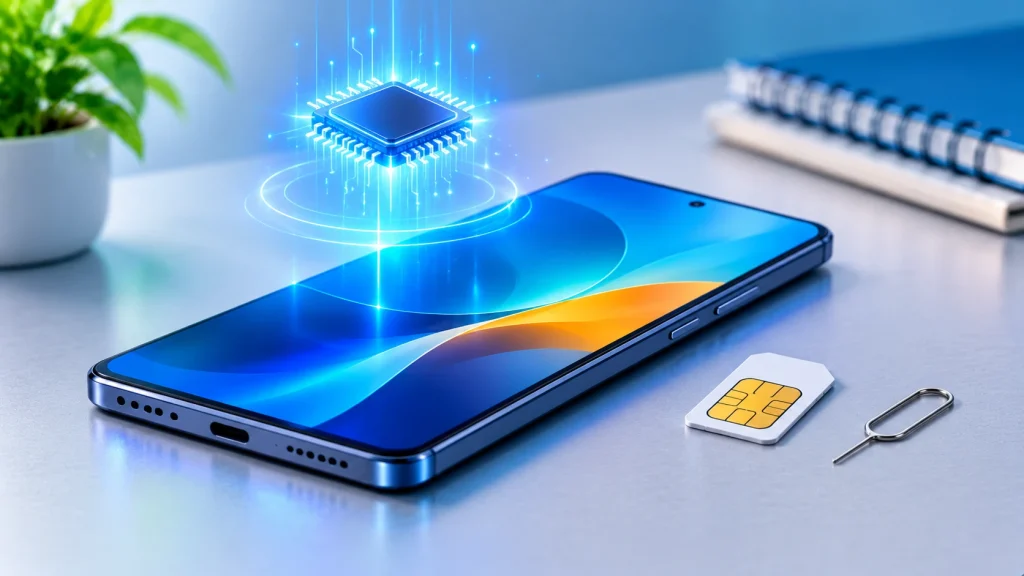
A physical SIM is the small removable plastic card that identifies you to your mobile network. You slide it into your phone’s tray, and you can move it to another phone whenever you like.
An eSIM (embedded SIM) does the same job without a card. Comparitech explains that it is built into the device and activated digitally, usually with a QR code or your carrier’s app, so nothing has to be bought or shipped. You can add one on an iPhone through Settings, Mobile Service, Add eSIM, and on Android through the network settings, then scan the code or enter the details by hand.
Both give you the same thing: a phone number, calls, texts and mobile data on your carrier’s network. Cloudwards notes that neither type controls signal strength. Antenna quality matters, but carrier coverage matters more, so switching from a card to an eSIM should not change your reception.
eSIM vs Physical SIM: Side-by-Side
| Feature | eSIM | Physical SIM |
|---|---|---|
| Setup | Digital, by QR code or app | Insert the card; no setup needed |
| Switching carriers | Quick, no card to ship | Needs a new card |
| Moving to a new phone | Direct transfer is possible if the old phone works; otherwise your carrier helps | Move the card yourself |
| If the phone is lost or stolen | The profile is lost with the phone; the number is reissued by your carrier after identity checks | The card can be removed; the network sends a replacement |
| Physical theft of the SIM | Can’t be casually removed | Can be removed and used in another phone |
| SIM-swap fraud | Still possible through your carrier account | Still possible through your carrier account |
| Travel | Easy to add a local data plan before or on arrival | Need to find and buy a local card |
| Dual SIM | Two active profiles at once, with several stored | Depends on how many trays the phone has |
| Compatibility | Newer phones only | Almost every phone with a tray |
Sources: Comparitech, Selectra and Cloudwards (see Sources). “Several” profiles: Cloudwards says up to eight can be stored, but the limit differs by phone.
eSIM: Pros and Cons
Pros
- No card to lose or damage. Cloudwards says an eSIM is embedded in the device, so it is harder to lose.
- Quick to set up and switch. Comparitech lists no waiting for a card and quick plan switching.
- Better against physical theft. A thief can’t just pop the card out. Comparitech says moving an eSIM would require carrier account access, the activation details, and possibly device unlock credentials.
- Great for travel. Cloudwards says roaming through your home carrier can be expensive, while prepaid eSIM plans for a country or region let you pay only for what you need.
- Several plans on one phone. You can keep home, work and travel lines separate.
- Less plastic. Cloudwards argues eSIMs are more sustainable because they reduce plastic and shipping.
Cons
- Newer phones only. Check your phone before you plan around an eSIM.
- Recovery takes more steps. Comparitech says losing a phone doesn’t cancel your plan, but getting service back takes more steps than moving a card.
- Carrier controls the process. Cloudwards notes that troubleshooting runs through the carrier, which can cause delays, and moving to a new phone can take longer.
- Re-download limits. Comparitech warns that some carriers limit re-downloads or transfers, and some phones block reusing a deleted profile.
- Still open to SIM-swap fraud. Attackers target your carrier account with social engineering, not the phone.
Physical SIM: Pros and Cons
Pros
- Works almost everywhere. Cloudwards says it is ready to use once inserted, with no QR code or configuration.
- Easy to move between phones. If your phone breaks, you can put the card in another phone. One retail guide also notes this can be faster than a digital reactivation, and Cloudwards says you control what happens to the card.
- Simple troubleshooting. Swapping the card is a quick way to rule out a SIM problem.
Cons
- Easier to lose or steal. Cloudwards points out that recovering the number or data can be hard, and Comparitech says a thief can remove the card and use it in another device.
- Switching carriers needs a new card.
- One profile at a time per tray.
- Disappearing from some phones. In some markets, new phones no longer have a SIM tray (see below).
Travel, Dual SIM, New Phones and Compatibility
Travel
Cloudwards calls eSIM the better option for travel because buying a local physical SIM can be time-consuming and home-carrier roaming can be expensive. Prices vary a lot by country and provider, so compare a few options and check that your phone is carrier unlocked before you leave.
Using both at once
Comparitech says most modern phones can run an eSIM and a physical SIM at the same time, each with its own plan. Common uses are separate personal and work numbers, keeping your home number while using a local data eSIM abroad, and pairing a cheap plan with your main one.
Switching phones
Selectra says that with the old phone in hand and working, an eSIM can be transferred directly in minutes. On an iPhone, turn on Bluetooth, unlock the old phone, sign both phones into the same Apple Account, and use up-to-date software. On Android, keep the phones close, use a recent Android version, and set a screen lock on the old phone. If the direct transfer fails, your network sends a QR code or download link. The best time to change phone is while the old one still works.
The risky case is a lost phone. Selectra warns that networks check your identity before reissuing an eSIM, and the usual check is a text code sent to the very line you lost. Before that happens, make sure you can log in to your carrier account from a computer without needing a text, keep your contact email up to date, save your carrier’s customer service number somewhere other than the phone, and turn on Find My or Find My Device.
Phones with no SIM tray
Apple sells iPhone 17 models without a physical SIM tray in a list of markets. Heise lists them as the United States, Canada, Mexico, Japan, Guam, the US Virgin Islands, Qatar, Saudi Arabia, Oman, Kuwait, Bahrain and the United Arab Emirates, and says the iPhone Air is eSIM-only worldwide. It reports that the space saved goes to a slightly larger battery. Models sold in many other countries, including much of Europe, still have a tray. So in some places you may not have a choice, and in others you do.
Is my phone compatible?
Compatibility varies by phone, region and carrier, so check your phone’s settings for an “Add eSIM” option and ask your carrier whether your phone is unlocked. Cloudwards notes that some Samsung models vary by region and carrier.
Which One Should You Use?
- You travel often: eSIM, for the easier local data plans.
- You want a second number or a work line: eSIM plus your existing SIM.
- You switch phones often, or your old phone may fail: a physical SIM is simpler, as long as your phone has a tray.
- You have an older phone: physical SIM, because eSIM support is limited to newer models.
- You’re worried about theft: an eSIM helps against someone pulling out your card, but you need strong protection on your carrier account either way.
- You buy a phone with no tray: eSIM is your only choice, so learn the transfer process before your next upgrade.
Protect your number, whichever you choose. Comparitech advises using a strong, unique carrier password with two-factor authentication, storing activation codes securely, turning on a screen lock and remote find/wipe, and installing eSIMs only from reputable carriers or known providers. Cloudwards adds that setting a SIM PIN helps. Both types are vulnerable to SIM-swap fraud, so account security matters more than the SIM type.
Frequently Asked Questions
Is an eSIM better than a physical SIM? For many people, yes, especially for travel and flexibility. But a physical SIM is simpler for swapping phones, and it works with almost every phone.
Is an eSIM safer than a physical SIM? It is safer against someone physically removing the card. It does not stop SIM-swap fraud, which targets your carrier account. Comparitech and Cloudwards both say so.
Can I use an eSIM and a physical SIM together? Yes, on most modern phones. Each has its own plan, so you can keep a home number and add a local data plan.
What happens to my eSIM if I lose my phone? Your number is not lost, but the profile goes with the phone. Contact your carrier to suspend the line, then have a new eSIM issued after identity checks.
Can I move an eSIM to a new phone? Yes. Selectra says that with both phones working, iPhone and Android offer direct transfers. Otherwise your carrier sends a QR code or link. Moving between an iPhone and an Android phone can need your carrier’s help, so check with them first.
Does an eSIM give better signal or speed? No. Cloudwards says carrier coverage and conditions matter, not the SIM type.
Are all new iPhones eSIM-only? No. Apple’s iPhone 17 models are eSIM-only in a list of 12 countries and territories, and the iPhone Air is eSIM-only everywhere, according to Heise. Other markets still have a SIM tray.
Is an eSIM cheaper? The SIM type itself doesn’t set the price; your plan does. Travel eSIMs can be cheaper than roaming, but compare actual offers.
Sources
Read in full:
- Comparitech: Are eSIMs safe? (favorable toward eSIM and may have commercial interests, so I used it for factual points only)
- Selectra UK: Phone stolen, eSIM, getting your number back (UK network examples)
- Cloudwards: eSIM vs physical SIM (its compatibility list is inconsistent, so I did not use it)
- Heise: eSIM-only iPhone 17 countries
Read only as search excerpts, so verify before relying on them:
- Airtalk Wireless and Roamless, both sold by eSIM or wireless providers (used to cross-check that physical theft is harder but SIM-swap fraud remains)
- Jetpac and Saily, seller blogs that match Heise’s country list
Apple’s own support pages could not be checked, so confirm eSIM availability for your exact phone model and country on the maker’s site or with your carrier. Carrier rules differ by country. Checked 8 November 2026.
About the Author

Aman Ullah Hridoy
Founder & Content Creator
I’m Aman Ullah Hridoy, the founder of Technolozia. I write about technology, software, gadgets and practical how-to guides to help readers understand tech and make smarter digital choices.